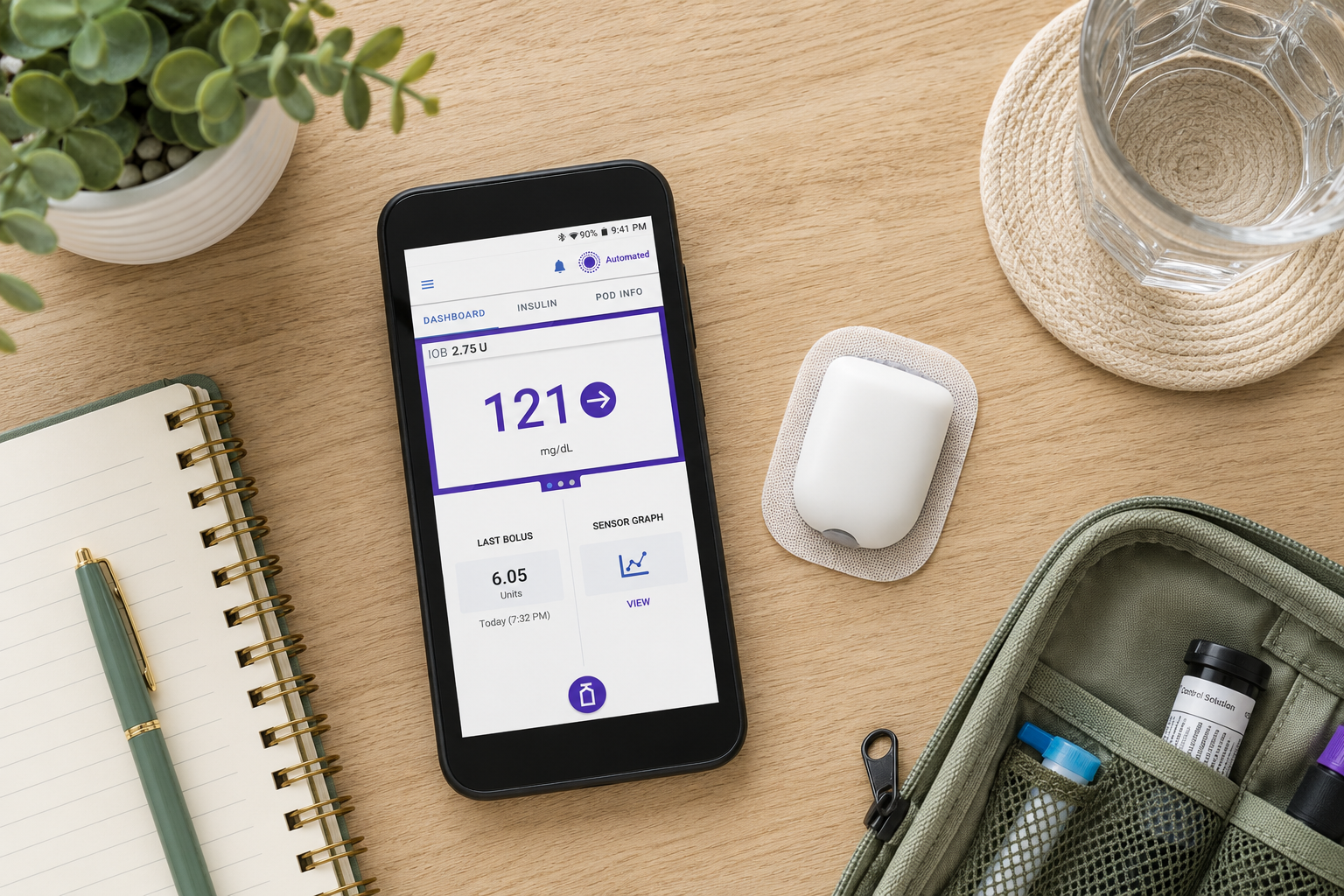
You see 250 mg/dL on your CGM. You enter some carbohydrates you did not eat, generate a correction bolus, and feel like you did something productive.
Two hours later you are dropping below 70 mg/dL. You treat with juice. An hour after that you are dropping again. By evening your blood sugar has swung from 250 to 63 to 315 and you cannot understand why nothing is working.
What happened is not a mystery once you understand what your pump was already doing before you intervened.
What This Post Covers
- What the algorithm is calculating every five minutes — and why that matters
- What insulin stacking is pharmacokinetically and why phantom carb entries make it significantly worse
- Why the pump's zero correction suggestion is mathematically sound
- How to use the sensor-based correction feature correctly
What the Algorithm Is Already Doing Before You Touch It
Most people think of automated insulin delivery as traditional pump therapy with a smarter background system — where you still do the correcting and the pump handles the baseline. That framing leads directly to the manual override problem.
The Omnipod 5's automated mode does not deliver a fixed basal rate. Every five minutes it runs a full predictive calculation:
- Pulls in the current CGM reading and rate of change
- Calculates total insulin on board (IOB) from every previous delivery
- Predicts where blood sugar will be in 60 minutes
- Adjusts delivery in real time to intercept that trajectory
When your blood sugar is at 250 mg/dL and trending flat, the algorithm has already been delivering corrective micro-boluses at every five-minute interval. Those micro-boluses are precisely sized to the gap between your current blood sugar and your target, fully accounting for all insulin already working in your body.
When you manually add a correction bolus on top of this, you are adding insulin that the algorithm already determined was not needed. It had the full picture. You only had the number on your screen.
The Pharmacokinetics of Insulin Stacking
Rapid-acting insulin follows a predictable curve:
At 90 minutes post-dose, IOB is not zero. That insulin is on the back half of its curve, still actively lowering blood sugar.
When you deliver a manual correction without accounting for existing IOB, two overlapping insulin peaks work simultaneously. The first is still descending. The second is ascending. Their combined effect at the overlap point can drop blood sugar significantly more than either would have done alone.
Phantom carb entries make this worse in a specific way. When you enter carbohydrates you did not eat, the algorithm records it as a real meal. It now expects a blood sugar rise from that fictional meal and reduces future insulin delivery to offset it. When no rise comes, the model's prediction is wrong, the insulin is more than was needed, and the drop is worse. The phantom entry also corrupts the model's longer-term understanding of your insulin-to-carbohydrate ratio patterns.
What the Zero Correction Recommendation Actually Means
After a meal, if blood sugar is still elevated and you use the pump's sensor-based correction feature, the pump may suggest zero units of additional insulin.
This is one of the most counterintuitive outputs an automated pump produces. It is also almost always correct.
“Zero means: The pump is not ignoring the high. It is telling you the correction is already happening — you just have not seen the result yet.”
The IOB decay model accounts for your insulin duration of action setting, the timing of all previous deliveries, and the doses themselves — both yours and the pump's. Overriding a zero recommendation adds insulin to a system that already has enough. The result is exactly the drop you were trying to avoid.
Trusting the zero requires accepting that the number on your screen will resolve over the next hour or two without intervention. That tolerance for temporary elevation is the behavioral shift that makes automated delivery function correctly.
The Two-Hour Rule and Sensor-Based Corrections
Before the two-hour mark after a meal, carbohydrate absorption and the meal bolus are both still in their most active phases. Adding correction insulin into that window introduces a third overlapping variable into an already complex calculation.
At two hours or after, carbohydrate absorption is largely complete and the meal bolus has worked through its peak. The blood sugar number you see is a more accurate representation of your actual insulin need.
The correct workflow:
- Open your Omnipod 5 app and navigate to the bolus screen
- Leave the carb section blank — you are eating no carbs
- Select the purple "Use Sensor" option, not a manually entered carbohydrate amount
- Let the pump calculate a correction using your correction factor while fully accounting for all IOB
- If the suggestion is non-zero, deliver it. If it suggests zero, trust it.
What You Can Do
Stop entering phantom carbohydrates to generate corrections
This is the single highest-impact change. Every phantom entry corrupts the algorithm's model and creates stacking risk from a fictional meal.
Wait two hours after any meal before initiating a correction
This is when the meal's blood sugar contribution and bolus activity have stabilized enough for an accurate calculation.
Use the sensor-based correction feature — not a manually entered bolus
This is the only correction method that incorporates your full IOB into the calculation.
When the suggestion is zero, trust it
The algorithm has the complete insulin picture. Your CGM screen does not.
Give the algorithm at least one to two weeks of uninterrupted data after any settings change
Manual overrides during this period teach the system incorrect patterns that take multiple pod cycles to correct. If blood sugar is still not where you want it, bring in your diabetes educator or endo to adjust the settings — not the boluses.
When to Get Help
If your blood sugar data shows a consistent roller coaster pattern — repeated highs followed by lows followed by rebounds — the problem is almost always the interaction between manual interventions and the algorithm's IOB calculations, not a fundamental settings issue. A certified diabetes care and education specialist who works with automated insulin delivery can review your CGM download and identify exactly which override behaviors are driving the pattern.